Propagation of Sound in Open Water#
In How do acoustics signals look like?, we talked about a sound wave and considered what the sound would look like if you were measuring it at a single point using a hydrophone. This measured sound is only a small part of the much larger distribution of sound traveling through the water. It might be coming from a single source, many sources, or from reflection and scattering from surfaces and objects in the medium. The sound field can become complicated very quickly if we take into account all of the sound moving through the ocean. Instead, let’s start by considering a couple simple sound waves.
The plane wave#
Probably the simplest form of sound propagation is the plane wave. This is a situation where (1) the sound at every point in the water is traveling in the same direction and (2) the sound has the same amplitude in planes that are perpendicular to the direction of propagation. The animation below shows the pressure in the x-y plane for a propagating plane wave where the sound is traveling in the x-direction. For this particular case, the wavelength of the wave is 2 m and the amplitude has been chosen to be 1 \(\mu Pa\). Notice that in this cross-section of the field, there are lines of constant pressure extending in the y-direction. These lines of constant pressure correspond to lines of constant phase in the wave and these lines are usually referred to as wave fronts. Notice that the sound is propagating in the direction perpendicular to the wavefront.

The spherical wave#
Another simple sound wave is the spherical wave. For this type of wave, the sound is propagateing in all directions away from a single point. The animation below shows the pressure in the x-y plane for a spherical wave centered on \(x = y = 0\). In this case, the wavefronts form circles about the origin and in three dimensions they form spheres. Unlike the plane wave, the spreading of the sound from a single point leads to a decrease in amplitude as you move away from the center. The magnitude of the pressure is inversely proportional to the distance, \(r\), from the center, \(P \propto 1/r\). The intensity of the sound is then proportional to the square of the distance, \(I \propto P^2 \propto 1/r^2\). Also notice that the sound is again propagating in a direction perpendicular to the wavefront. In fact, this is a key point about propagating sound: Sound always travels in the direction perpendicular to the wavefront. We will revisit some of the consequences of this property when we examine acoustic refraction.
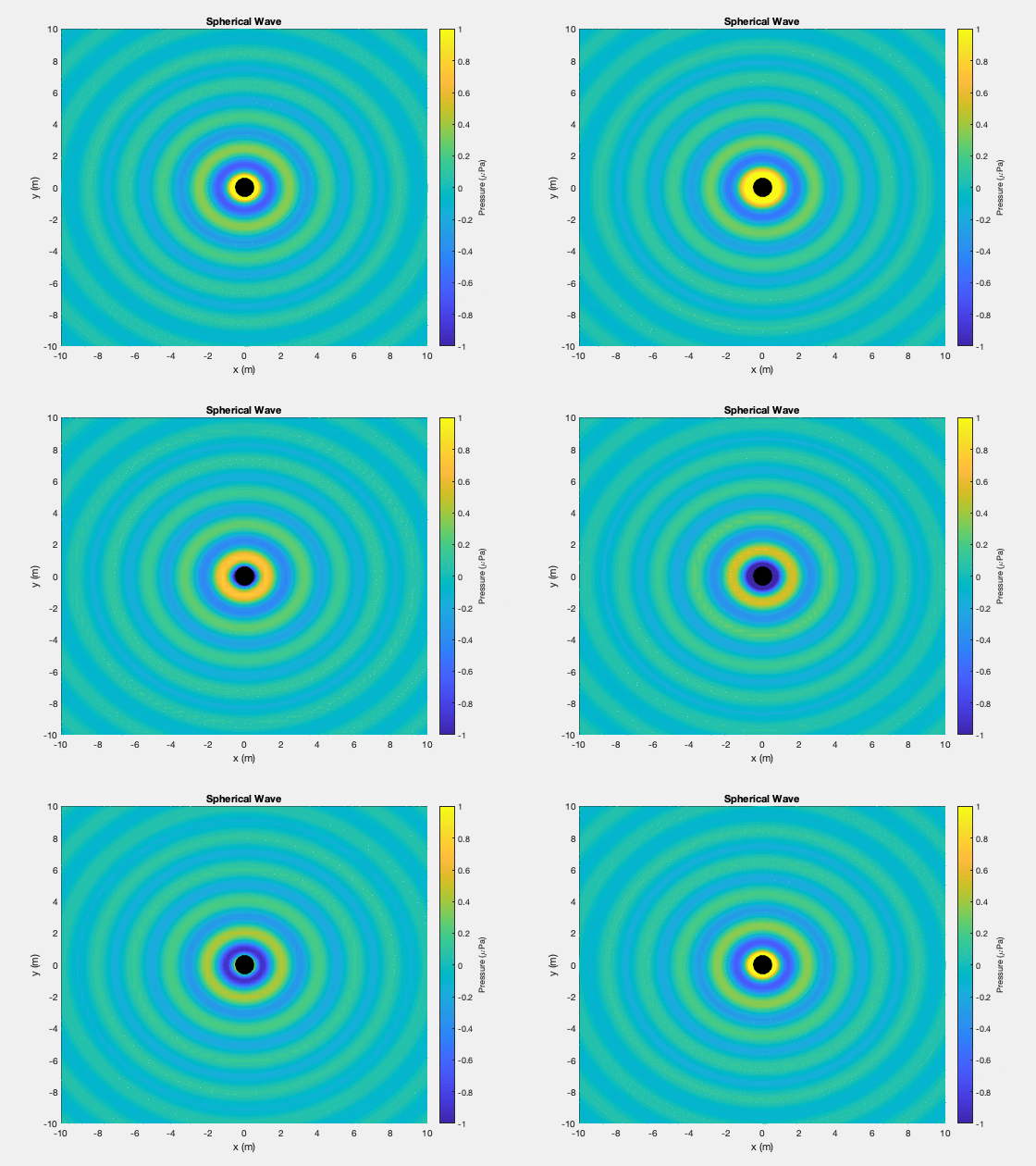
Spherical waves are typically generated using a spherical source. In the animation, a small black circle has been placed in the center to denote the location of the source. In the widget later in this notebook and in subsequent notebooks, we will consider a special case of the spherical source called the point source. This is an artificial spherical source, useful for modeling and simulation, where the radius of source has been allowed to decrease to zero without affecting the level of the transmitted sound. In the remainder of this section, we will use this simple source to explore what happens to the sound it produces when we introduce other simple sources, changes in the properties of the water, or boundaries such as the sea surface or seafloor. To keep things simple, we will assume a source level, \(SL\), of 0 dB, which means that at 1 m from the source, the magnitude of the pressure will be about 1.4 \(\mu Pa\).
Note
Why consider an unrealistic point source instead of a more realistic spherical source? As you move closer to a transducer you enter into the near-field of the transducer where the sound from different parts of the transducer surface interfere created a complicated sound field. The spherical source also has a near field, the boundary of which is proportional to both the frequency of the transmitted sound and the radius of the source. By reducing that radius to a point, we eliminate the near field. Thus the point source is a useful, but artificial sound source.
Interference of sound#
Before we look at how the underwater environment affects the sound from our point source, we will begin by considering how sound interacts with sound. This interaction of sound with sound can be caused by multiple sources (as we will examine in this notebook) or by the environment reflecting or refracting the sound from a single source, causing it to interact with itself. When sound interacts with sound, two things happen:
The propagating sound doesn’t change it’s path or properties.
Sound propagating from different directions and/or with different frequencies will interfere with one another at the points where their paths intersect.
To see this, will use a simple widget that simulates the sound emitted by either one or two point sources. When source #2 is off, the plot shows something very similar to the animation above for a spherical wave, but only a single instance of time. When the second source is turned on and the plot is set to show pressure, the circular wavefronts remain, but now there is interference between the two sound fields. Interference occurs because at each point the total pressure is the sum of the pressures from the the two sources. If the pressures are roughly the same (either both have positive or negative values), the addition leads to a larger pressure magnitude. This is called constructive interference. When the pressures have opposite signs, the two pressures cancel which leads to destructive interference. This is more clearly seen in the intensity plot where the destructive interference corresponds to the lines of low intensity which pass between the two sources.